You registered the LLC. You picked a name. Now you're staring at a blank cursor trying to figure out what "getting online" even means, and every search result wants to sell you something different — a $500 logo, a social media manager, a course on "personal branding." Most of it can wait. A few things can't.
I've built sites for businesses in their first month and businesses ten years in, and the pattern is always the same: the new ones spend their early hours on the stuff that feels productive — colors, fonts, picking the "right" platform — and skip the stuff that actually gets the phone to ring. This is the order I'd tell a friend to follow, not the order a marketing agency wants you to follow.
The short answer
Get a real domain and a bare-bones, mobile-friendly website live first. Verify your Google Business Profile second. Then, in roughly this order: fix anything that breaks on a phone, get your basic on-page SEO right, give people an obvious way to contact you, ask your first customers for reviews, pick one social channel, hook up simple analytics, put a plan in place so you never lose a lead to a missed call, and get listed in the local directories that actually carry weight.
That's ten things. None of them require a marketing budget. Most take under an hour each, and a few — the website and the Business Profile — are the load-bearing walls everything else leans on.
1. Buy the domain and get a real website live
Not a Linktree. Not just an Instagram bio. A domain you own, pointed at a site with your name, your services, your phone number, and your city on it. The SBA's own launch guide lists domain registration as one of the first concrete steps after you've legally formed the business, and there's a reason: everything else on this list either sends people to your site or borrows credibility from it.
It doesn't need to be fancy. One page with your services, your area, a phone number, and a way to contact you beats a five-page site you never finish. Build the second, third, and tenth page later, once you know what customers actually ask about.
2. Set up and verify your Google Business Profile
This is free, and it's the single highest-leverage thing on this list for a local business. Google's own help center walks through how to add or claim your profile, and once it's verified, you show up on Google Maps and in the local map pack — the block of three businesses most people tap before they ever scroll to a normal search result. A Business Profile can also list your hours, services, and photos and route people straight to your website or phone number. Even a handful of real photos shot on your phone beat stock images here — customers can tell the difference.
Verification usually takes a few days to two weeks depending on the method (phone, email, or postcard). Start this the same day you launch your site — it's rarely the bottleneck people assume it is, but it's also not instant.
3. Make sure the site actually works on a phone
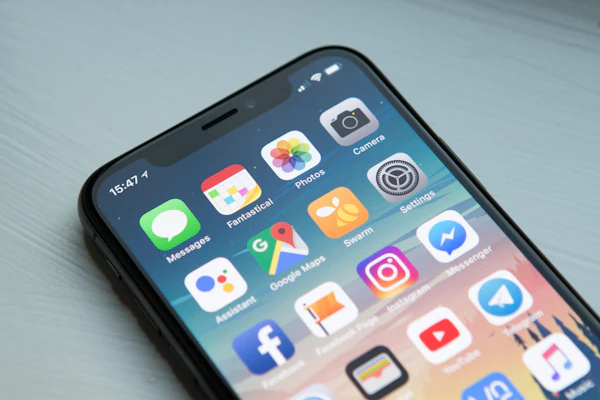
More local searches happen on a phone than a laptop, full stop. If someone taps your link and has to pinch-zoom to read your phone number, they don't fight with it — they hit back and call the next result. This isn't a "nice to have" tucked into step three because it's minor. It's here because it's usually a five-minute fix (pick a template that's responsive by default) rather than a new project, and it quietly undoes everything the first two steps just built.
4. Get the basic on-page SEO right
You don't need an SEO consultant in month one. You need your page title to say what you do and where, your headings to use words a customer would actually type, and your images to have real alt text instead of "IMG_4021.jpg." Google's own SEO Starter Guide is blunt about this: content that's genuinely useful to the person reading it, with clear titles and descriptions, does more for your ranking than any technical trick. Spend 30 minutes on this once your site is live. Then move on.
5. Give people one obvious way to reach you
Pick your primary channel — usually a phone number for service businesses, sometimes a contact form for others — and put it everywhere: header, footer, every page. Businesses that bury contact info behind three clicks lose people who were ready to buy. This sounds obvious written down. It's the single most common thing I find broken on a first-draft DIY site.
6. Ask your first customers for reviews
Reviews are the trust layer that a brand-new business doesn't have yet — no history, no reputation, nothing to point to except what other people say happened. Ask every satisfied customer directly, in person or by text, for a Google review the same week you do the job. Don't wait until you have "enough" customers to bother; the first five reviews matter more, proportionally, than the next fifty.
"A brand-new business with zero reviews and a business with three reviews aren't in the same category to a customer scrolling Google Maps — even three is a signal that a real person showed up and it went fine."
7. Pick one social channel, not five
Figure out where your actual customers spend time and post there consistently. A contractor probably doesn't need TikTok. A boutique probably doesn't need LinkedIn. One channel, posted to twice a week for three months, beats five channels that all go quiet after the launch-week burst. Trying to be everywhere at once is one of the most common ways new owners burn their early hours without moving the needle — more on that below.
8. Hook up basic analytics and Search Console
You can't tell what's working if you can't see it. Free Google Search Console shows you which searches actually bring people to your site, which pages Google has indexed, and where errors are quietly blocking traffic you'd never notice otherwise. It takes about ten minutes to set up and it's the closest thing to a free early-warning system you'll get.
9. Put a plan in place for missed calls
New businesses lose leads to something dumber than bad marketing: a call that rings out while you're on a job or with another customer, and nobody follows up. A simple rule — call back within the hour, or set up an auto-text that tells the caller you saw it and will call back soon — recovers leads that would otherwise just dial the next name on the list. This one's easy to skip because it doesn't feel like "marketing." It behaves like marketing anyway.
10. Get listed in a few real local directories
Beyond Google, a handful of consistent listings — Bing Places, Apple Maps, an industry-specific directory if one exists for your field — reinforce that your business name, address, and phone number are the same everywhere. This matters less than people think in month one, and more than people think by month six, which is exactly why it's last on this list and not first.
What most new businesses get wrong
The mistake isn't laziness. It's misplaced effort. Owners will spend eight hours picking between three shades of blue for a logo and forty-five minutes on the Google Business Profile that actually generates calls. They'll build six website pages before the phone number on page one even works on mobile. They'll sign up for four social platforms and post to none of them past week two.
None of that is stupid, exactly — it's just backwards. Branding and extra pages feel like "real work" because they're visible and creative. Verifying a listing or checking a phone number feels like an errand. But the errand is what a customer actually runs into first.
The other recurring mistake: paying for ads before the fundamentals are handled. A Federal Reserve report on startup firms found that new businesses face steeper financial pressure and less cushion than mature ones — which makes it worse, not better, to spend early ad dollars sending strangers to a site that isn't ready to convert them. Fix the site and the profile first. Pay to send traffic to it later.
Want this handled for you?
RankLoft builds the website, sets up your Google Business Profile, and makes sure the fundamentals are actually done right — so you're not guessing which of the ten matters most this week.
Get a free site audit →The bottom line
The honest answer is that "getting online" isn't ten equal-weight tasks — it's two foundational ones (site, Business Profile) and eight that build on them. If you do nothing else this week, get a mobile-friendly site live and verify your Business Profile. Everything else on this list gets easier, and some of it becomes pointless to skip, once those two exist. Next step: open your site on your actual phone right now and see if you'd trust it if you were a stranger.
Frequently asked questions
What's the very first thing a new business should do online?
Buy your domain name and get a bare-bones, mobile-friendly website live, even if it's one page. Everything else — Google Business Profile, reviews, social — either links back to that site or depends on it existing first, so it has to come before the rest.
Do I need a website if I already have a Google Business Profile?
Yes. A Business Profile gets you into Google Maps and the local pack, but it can't hold your full story, your pricing, or your booking form, and you don't control it the way you control a website. Use both — the profile to get found, the site to close the sale.
How much should a new business spend on its first website?
A workable first site runs anywhere from $200/year DIY to $2,000-plus for something custom-built, and most brand-new businesses don't need the expensive version yet. Spend enough to get a fast, mobile-friendly, easy-to-edit site live, then reinvest as the business proves itself. See our breakdown on calculating website ROI for how to think about that spend.
How soon can a new business expect online leads?
A verified Google Business Profile and mobile-friendly site can start producing calls within one to two weeks. Reviews and citations usually take four to ten weeks to build enough weight to matter, and organic search traffic is typically a three-to-four-month story, not a first-week one.
Should a new business be on social media from day one?
Pick one platform that matches where your actual customers already spend time, not every platform at once. A single channel posted consistently outperforms five channels posted once and abandoned, and social should come after your site and Google Business Profile are handled, not before.
Sources
- U.S. Small Business Administration — Launch Your Business
- Google Business Profile Help — Add or Claim Your Business Profile
- Google Business Profile Help — Get Started with Google Business Profile
- Google Search Central — SEO Starter Guide: The Basics
- Google Search Central — Search Console Starter Guide
- BrightLocal — Local Consumer Review Survey 2026