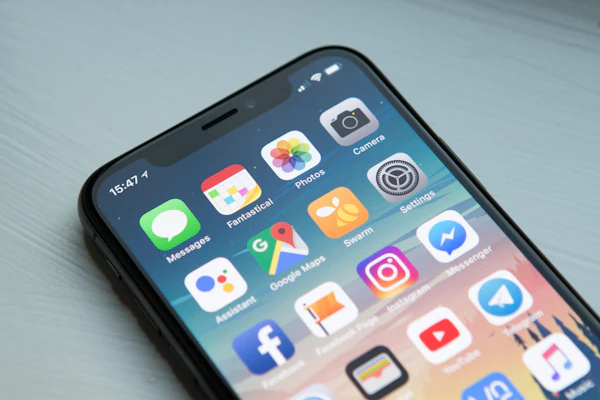
Someone standing two blocks from your restaurant taps "tacos near me" into their phone at 6:40 on a Friday night. Google shows three options. They pick the one with a fast-loading page, real photos of the food, and a menu they can actually read, not a blurry PDF from 2019. That's the whole ballgame, and most restaurants lose it before the customer ever tastes anything.
The food usually isn't the problem. The web presence is. A site that can't be found, doesn't load fast on a phone, or gives a hungry person nothing to click gets skipped fast. We've built and audited restaurant sites across full-service, fast-casual, and coffee shop concepts, and the pattern repeats every time: strong kitchen, invisible online presence.
This guide covers the seven things that actually move the needle: your menu, your Google Business Profile, ordering and reservations, mobile speed, reviews on both Google and Yelp, local search targeting, and the social content already proving your food is worth the trip. Real ranges, not vague promises.
Why most restaurant websites don't rank
Walk through how most restaurant sites get built and the pattern explains itself. A friend's kid put together a free Wix site in an afternoon. A template got picked because it looked nice in the demo, not because it could hold a growing menu, a reservation widget, and fast image loading at the same time. If you're deciding whether that free-tier builder is actually holding you back, the Wix vs. custom restaurant website breakdown lays out exactly where it falls short.
The second problem is neglect. Hours change for a holiday, a dish gets 86'd for the season, a location closes early on Sundays, and none of it ever makes it onto the site or the Google listing. A profile with stale hours and a menu nobody's touched in a year reads as an inactive business, and inactive businesses don't win the Maps pack.
The third problem is the one nobody wants to hear: most restaurant sites look good in a portfolio, not in a hungry person's actual decision process. They're not reading your chef's story. They want to know you're open right now, what's on the menu, and how fast they can get a table or an order placed.
Illustrative, based on industry benchmark research on how diners discover new restaurants. Figures don't sum to 100% since most diners use more than one channel before deciding.
Notice how fragmented that search actually is. Diners check Google, ask a friend, and scroll a food account, often within the same five minutes. Win only one of those channels and you're still losing customers to whoever covered the other three.
Step 1 — Fix the online menu that's actually costing you diners
Start here because it's the single most common failure point. A menu locked inside a PDF, a scanned photo, or an embedded PDF viewer is invisible to Google's crawlers and painful to read on a phone. It also can't be updated in thirty seconds when a dish sells out or a price changes.
Build your menu as real HTML text on the page: categories, item names, descriptions, prices, all as actual content, not an image. That's what lets Google surface individual dishes in search results, and it's what Google's own menu editor guidance is built around: the platform can now auto-convert a photographed menu into structured items with AI, because static PDFs work poorly for search and for anyone scanning on a small screen.
Photos matter just as much as the words. A blurry phone photo of a burger under fluorescent light does more damage than no photo at all. It tells a browsing customer the plating won't match the picture. Budget for a real photo of your five or six best-selling dishes. You don't need a full catalog shoot to start.
Search your own restaurant's name on your phone right now. Can you read three menu items and a price without opening a PDF or squinting at a photo? If not, that's the first fix.
If your current site is more than a couple of years old, run it through a proper restaurant website SEO audit before touching anything else. Know what's broken before you rebuild.
Step 2 — Build out your Google Business Profile like it's a second homepage
For a restaurant, your Google Business Profile usually gets seen by more people in a day than your website does in a week. It's the card in the Maps pack with your hours, photos, and menu attached, and for a hungry searcher it's often the only thing they look at before deciding.
Google's own guidance on local ranking comes down to three things: relevance, distance, and prominence (reviews, photos, and how complete your profile is). None of that is a mystery or a paid placement. It's upkeep.
Fill in every field. Set your primary category correctly ("Italian restaurant," not just "Restaurant"), list every cuisine and dietary attribute, and keep hours accurate down to holiday closures. Upload your menu into the GBP menu editor itself instead of just linking to your site. Google now supports up to 200 menu images per location, more room than most restaurants will ever need.
Illustrative, based on typical GBP performance gaps between complete and neglected restaurant profiles. Actual numbers vary heavily by market and competition.
The gap between a maintained profile and an abandoned one shows up directly in the numbers above: direction requests, clicks, and calls all move together once a profile gets attention. Post at least twice a month: a seasonal item, a busy-Friday photo, an event. Five minutes, and it signals the business is actually operating. For the rest of what feeds local rankings beyond the profile itself, see the full restaurant local SEO playbook.
Step 3 — Wire ordering and reservations straight into your site
Every extra tap between "I want this" and "it's booked" loses you customers. If your site links out to a third-party ordering app that makes someone re-enter their address and card on a slow connection, some of them just close the tab and call the next place instead.
The National Restaurant Association's 2026 State of the Industry report points to digital ordering and guest-facing technology as where operators are actively investing this year. Takeout and delivery volume keeps climbing, and a clunky ordering flow caps how much of it any single restaurant captures.
The fix isn't building your own ordering system from scratch. It's making sure whatever you use (Toast, Square, OpenTable, a delivery aggregator's embed) lives on your site with your own branding, not a link that dumps someone onto a generic marketplace page next to three competitors. Same logic for reservations: an embedded widget beats "call to book" for anyone under 40.
Who actually builds and wires this up matters too. A one-off freelance job nobody revisits is a different bet than an ongoing relationship that keeps the integration working as platforms change their APIs. The freelancer vs. agency comparison for restaurant websites breaks down when each route makes sense.
Step 4 — Make your site load before the hungry searcher gives up
Restaurant searches skew mobile more than almost any other local category: someone standing on a sidewalk, phone in hand, deciding in the next thirty seconds. If your homepage takes more than three seconds to load a hero photo, you've already lost a chunk of that audience before they see the menu.
Illustrative estimate of mobile vs. desktop share for restaurant "near me" searches, based on general local-search mobile benchmarks. Skews even higher for lunch and late-night searches.
Full-resolution photos straight from a phone camera are the usual culprit. A single unoptimized image can run 8 to 10MB and stall a page on a spotty connection. Compress everything, lazy-load anything below the fold, and test your homepage on a phone with WiFi off. How page speed affects a restaurant's bottom line has the numbers on what slow-loading actually costs in lost visits.
Step 5 — Run a review engine on Google and Yelp, not just one
Reviews do two jobs: they move your Maps pack position, and they're what a hungry person checks in the ten seconds before they commit. Skipping reviews isn't normal behavior anymore — current consumer research puts the share who never read one at just 4%, and Yelp's own data backs it up: well over 70% of consumers regularly read reviews before choosing where to go, and diners are markedly more likely to visit a business whose owner responds to feedback.
"Ask for the review while the plates are still warm on the table, not three days later in a forgettable email."
Text or hand a review link to the table within minutes of the meal ending, or put a QR code on the check. Don't wait for a follow-up email. The goodwill from a great meal fades fast, and so do the odds anyone bothers.
Indexed to illustrate relative pace, not exact rank positions — based on industry benchmarks and client patterns. Actual movement depends on market competition.
Google and Yelp aren't interchangeable, and treating them the same wastes effort. Google reviews vs. Yelp for restaurants breaks down which platform carries more weight for your category. The honest answer depends on whether you're full-service, fast-casual, or a coffee shop.
Google's own review policy treats any discount or incentive offered for a review as fake and misleading content — grounds for suspending your whole profile. Not a growth hack. A fast way to lose the listing your Maps ranking depends on.
Step 6 — Target the searches happening two blocks from your door
Beyond your Google Business Profile, your website needs pages built around how people search a neighborhood, not just your restaurant's name. "Best brunch in [neighborhood]," "[cuisine] near [landmark]," "[neighborhood] restaurants open late." Real intent behind every one of those, and most restaurant sites have zero pages targeting any of it.
A single page naming your cross streets, nearby landmarks, and parking situation does more here than a generic "About" page ever will. Multiple locations need their own dedicated pages each. Never one shared page listing every address, which Google reads as diluted.
Paid search can accelerate this while the organic groundwork sets in, but know what it costs first. What running Google Ads costs a restaurant in a competitive market has real spend ranges instead of a vague "it depends."
Want this built and maintained for you?
We build restaurant sites with the menu, ordering, and Google Business Profile setup wired in from day one, so none of this sits on a to-do list that never gets done.
Get a free site audit →Step 7 — Treat Instagram and TikTok as a discovery channel, not a chore
A plate of food photographed well and posted consistently does something a website can't: it reaches people who weren't searching for a restaurant at all. They were scrolling, saw something worth the trip, and saved it for Friday.
Deloitte's research on restaurant social strategy found restaurants investing seriously in social media saw meaningfully higher revenue growth than those treating it as an afterthought, and food content pulls one of the largest followings on social platforms generally. That's an audience already primed to care what you're plating.
It matters more to some diners than others. OpenTable's 2026 dining trends research found 79% of millennial diners say a restaurant's "Instagram or TikTok-worthiness" genuinely factors into where they decide to eat — not a nice-to-have, an actual filter.
You don't need a videographer. A phone, natural light near a window, and a posting habit twice a week beats one polished post a month. Link your Instagram bio straight to your ordering page, not your homepage — one tap saved between a scroll and a sale.
The mistakes restaurants keep making
Treating the website like a brochure instead of a tool. A nice photo and an address isn't a site built to get someone fed. If it doesn't show the menu, hours, and a way to order or book in the first screen, it's not doing its job.
Letting the Google Business Profile go stale. Hours from two owners ago, a menu that hasn't matched reality in a year, zero photos since opening week. An abandoned profile ranks like an abandoned business, no matter how good the food is.
Chasing one review platform and ignoring the other. 400 glowing reviews on Google and six on Yelp (or the reverse) leaves an entire audience segment uncovered, since plenty of diners check both.
Buying followers instead of earning them. 10,000 followers and 40 likes a post is an obvious red flag to anyone scrolling past it, and it does nothing for foot traffic.
Sending every ad click to the homepage. A search ad for "gluten-free brunch [neighborhood]" should land on a page about that exact thing, not a homepage the customer has to dig through.
Skipping the boring maintenance. Seasonal menu, holiday hours, a closed location: none of it updates itself. Pick one person who owns keeping the site and profile current, or it drifts out of date within a month.
What to expect — a realistic timeline
Nobody wants to hear "it depends," so here's the honest range instead of a vague promise:
- Google Business Profile fixes: Maps pack movement typically shows up in 2–6 weeks once the profile is fully filled out and reviews start coming in steadily
- Menu and site fixes: immediate improvement in how customers behave once they land: faster decisions, fewer bounces. This doesn't wait on Google at all
- Review velocity: a visible ranking shift usually needs 90 days of consistent new reviews, not a single push
- Organic local SEO (neighborhood pages, citations): 3–6 months for steady traffic, longer in genuinely competitive metro markets
- Social content: discovery-driven visits can start within days of a post that performs well, though a reliable following takes months of consistent posting to build
- Overall: most restaurants running the full stack notice a real shift in walk-ins and online orders within 60–90 days
Sources
- Google Business Profile Help — About the menu editor
- Google Business Profile Help — Tips to improve your local ranking on Google
- Google Business Profile Help — Tips to get more reviews
- National Restaurant Association — 2026 State of the Restaurant Industry
- BrightLocal — Local Consumer Review Survey 2025
- Deloitte Digital — Social Media and Restaurant Marketing
- OpenTable — 2026 Dining Trends Report
- Yelp for Business — How Reviews Influence Customer Decisions
Frequently asked questions
How do I get my restaurant to show up on Google Maps?
Claim and fully verify your Google Business Profile, fill in every field, and keep it active with fresh photos and posts at least twice a month. Ranking comes down to relevance, distance, and prominence: reviews and completeness drive prominence, and that's the part most restaurants leave half-finished.
Should my restaurant focus on Yelp or just Google reviews?
Both. The split depends on your concept. Full-service and higher-check restaurants see more Yelp traffic from people comparing options; fast-casual spots lean more on Google, where "near me" search happens. Ignoring either leaves a group of diners looking at a thinner review profile than your competitor's.
Do I need a separate app for online ordering, or can it live on my website?
It should live on your site with your own branding, even if a third-party platform like Toast or Square powers the backend. An embedded widget keeps the customer looking at your restaurant, not scrolling past competitors on someone else's marketplace page.
How long does it take for a restaurant website to start showing up in local search?
Google Business Profile fixes can shift Maps pack position within 2 to 6 weeks once the profile is complete and reviews are coming in steadily. Full organic local SEO (neighborhood pages, citations) takes 3 to 6 months, longer in competitive metro markets.
Does posting on Instagram or TikTok actually help my restaurant get found on Google?
Not directly through rankings, but indirectly, yes. Social content drives people to search your name on Google afterward, and that branded-search activity is a signal Google associates with an established business. It also feeds reviews and foot traffic, both of which move your actual ranking.